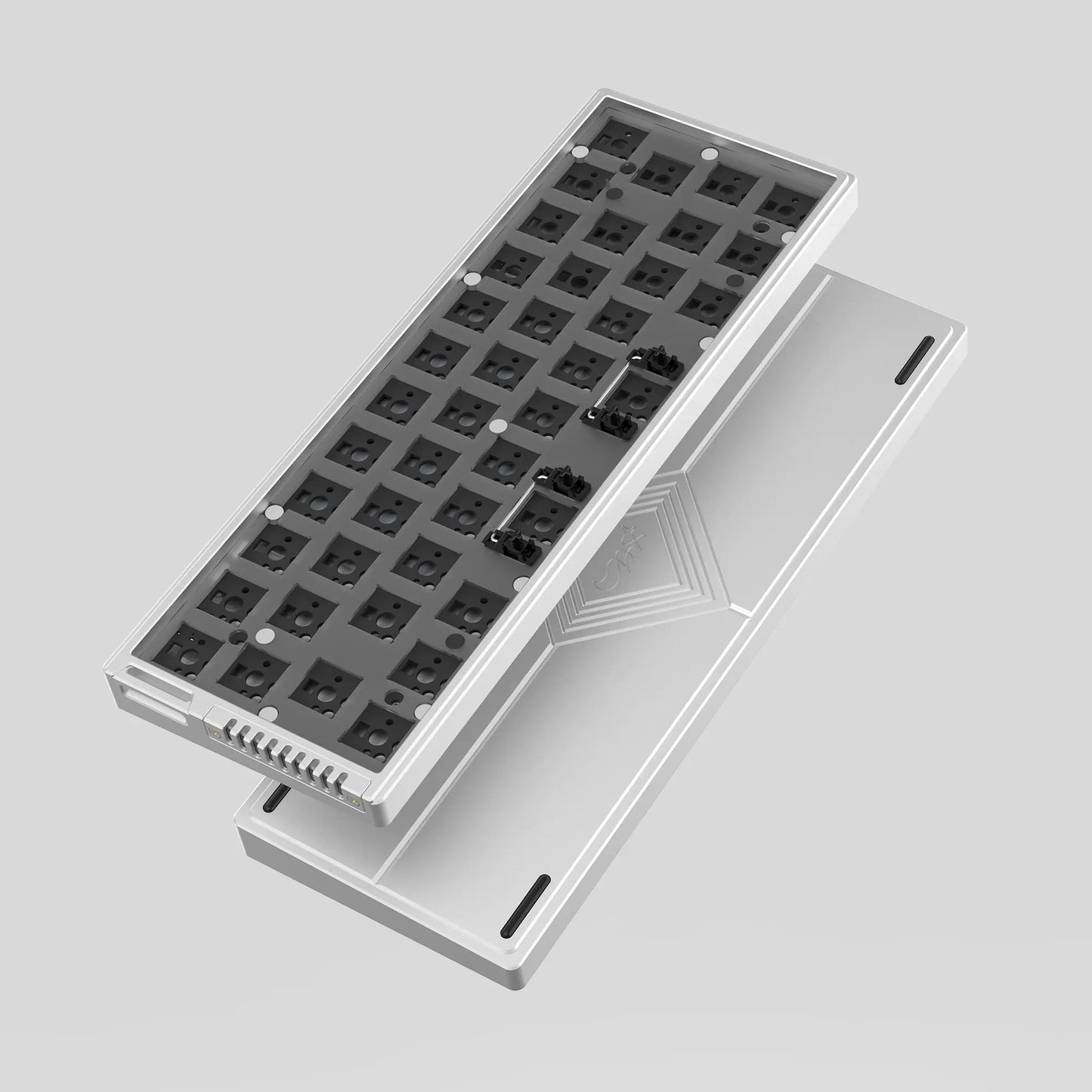
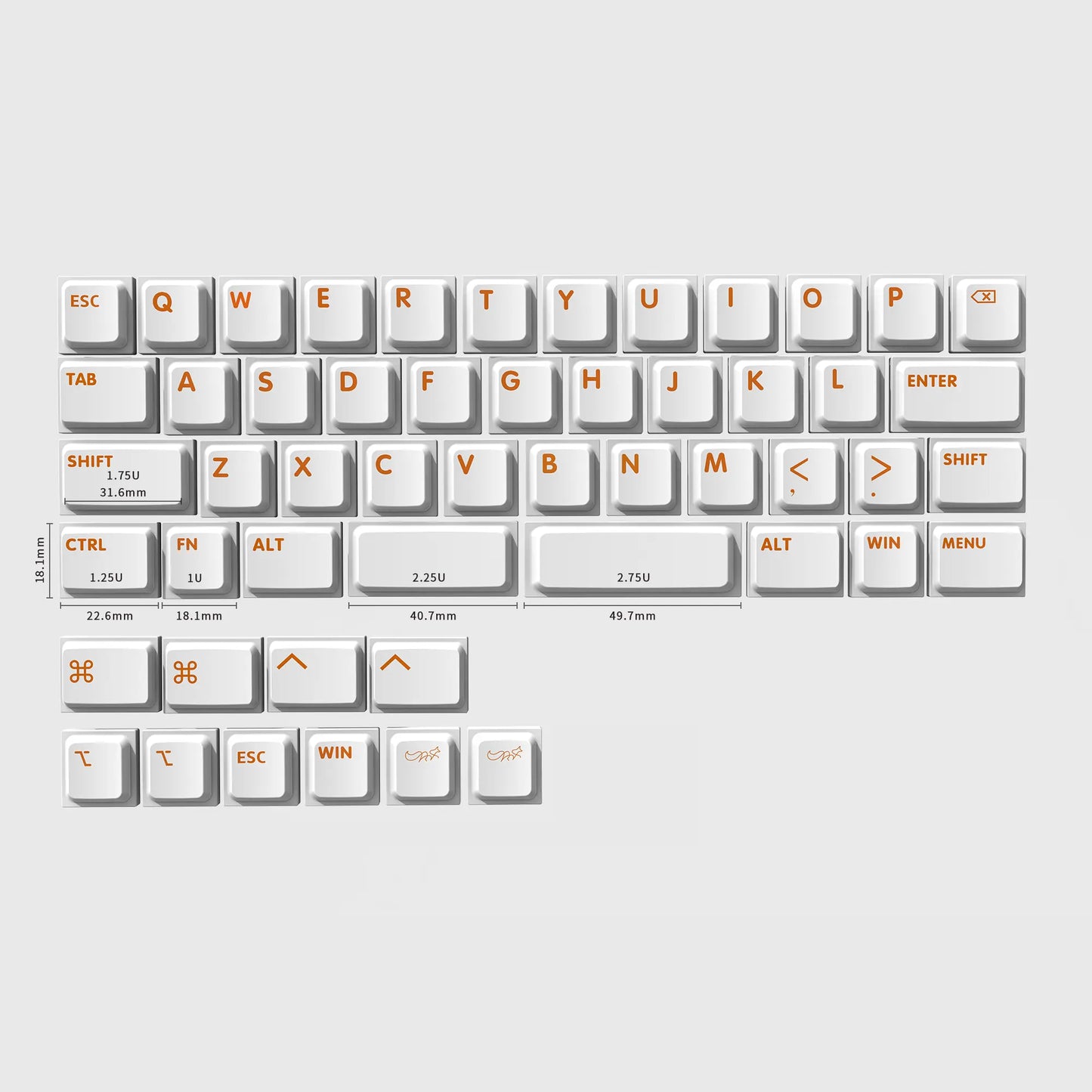
Init40 ロープロファイルキーボード
$101.00から
受取状況を読み込めませんでした
SHIPPING INFORMATION
All orders will be shipped by Chosfox within 48 hours of order confirmation (Excluding pre-sale orders). Tracking numbers are provided no later than a day after shipment on business days. You can check the Shipping Policy for more information.
Note
Due to the customs policy of different countries, we CANNOT control the taxes. Our product price does not include VAT or import tax for your country.
WARRANTY POLICY
WARRANTY POLICY
Chosfox offers a 1-year limited warranty for all Chosfox keyboards and PCB. If there is any quality issue, please send relevant images or videos to yangsk@chosfox.com for review.
REFUND POLICY
REFUND POLICY
You can check the Refund Policy for more information
Init40 | すべての旅は「最初の一歩」から
プログラミングにおいて、initはすべての始まりを意味します。
Chosfoxにとって、それは40%キーボードから始まりました。
オルソリニアからカラムスタッガードまで、私たちは常に新しい可能性を探求し続けてきました。
そして、新たな問いが生まれました:
「ロウスタッガード(Row Stagger)はどうだろうか?」
こうしてInit40は誕生しました。
Init40には「初期化(Initialization)」と「最初の試み(Initial Attempt)」という意味が込められています。
すべての旅は、最初の一歩から始まるのですから。
現在、TELEC認証の取得手続きを進めております

異なる40%、より自然なレイアウト
40%キーボードは、 キーの数を減らし、自由度を高めてくれます。
Init40のロウスタッガードレイアウトは、各行をずらすことで指の自然な動きに追従します。
慣れ親しんだ打鍵感。
40%キーボードへのより簡単な入り口。
コンパクトな40%。自然な動き。
キーを減らし、デスクスペースを拡大。
40%キーボードの新しい体験を。

角度に合わせて輝く、レイヤーインジケーター
単なるインジケーターではありません。レイヤーライトにより、現在どのレイヤーを使用しているかが一目で分かります。
レイヤーを切り替えるとほのかにライトが点灯し、タイピングを中断することなく直感的に状況を把握できます。
レイヤーを切り替えて、変化を確認。
常にコントロールを手に。
小さなライトが、よりスムーズなワークフローを実現します。

いつでもどこへでも
持ち運びに最適なストラップ。
一体型のストラップにより、Init40はより持ち運びやすくなりました。デスクから次の目的地まで、いつでも手軽に連れ出すことができます。


5°のタイピングアングル
優しく、自然な角度
緻密に計算された 5°のタイピングアングル が、手前と奥に微妙な高低差を生み出し、キーボードの薄さを保ちながら、手首を自然で快適な位置に導きます。
急すぎず、平らすぎない。絶妙なバランス。
5°のエルゴノミックチルト により、より自然なタイピング姿勢をサポート
ロープロファイルデザイン で、デスクに近く快適な打鍵位置を確保
快適なバランス で、日々のタイピングをサポート
より滑らかでリラックスした打鍵感を実現

ボートスタイルケース
ボートスタイルのシャーシは、より滑らかで立体的なサイドプロファイルを描き、アルミボディの高級感を高めつつ、軽快な外観を演出します。
タイピングの打鍵感を向上させる最適化された音響設計に加え、静電気防止機能も備えており、日常的に安心してお使いいただける、洗練された信頼性の高い一台です。

VIAL対応と3モード接続


スイッチ
Init40では、Kailh Choc V2スイッチを4種類から選択可能で、リニアとタクタイルの両方に対応しています。
滑らかで途切れのないリニアな打鍵感がお好みの方も、より反応の良いタクタイルなフィードバックがお好みの方も、好みに合わせて自由に選ぶことができます。
静かでスムーズな打ち心地から、確かな押下感まで、あなたのスタイルにぴったりなスイッチが見つかります。

クリエイターの声

同梱物

ブラックのキーボードにはブラックのストラップ、ホワイトとシルバーのキーボードにはホワイトのストラップが標準で付属します。
製品仕様

Q: このファームウェアはJIS配列用ですか?
A: はい。このファームウェアはJIS配列版専用です。
Q: キーボードのRFファームウェアの更新方法は?
A: キーボード左側の最初のキーを押しながらUSBケーブルを接続してください。接続後、STARTをクリックして更新を開始します。
Q: レシーバーのファームウェアの更新方法は?
A: レシーバーを直接パソコンに接続し、STARTをクリックして更新を開始します。

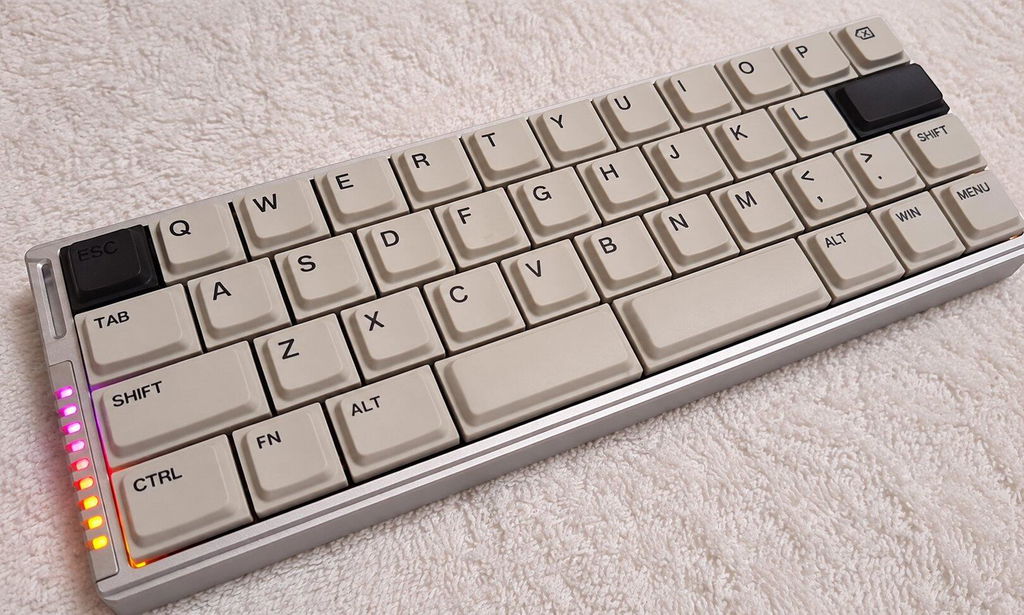
The 40% layout, low-profile design, and low stagger are perfect. They allow me to work comfortably in the same setup wherever I go.
The key layout was perfect for me. I’ve also purchased a Gennix 48 rev. 2 keyboard with a grid layout, but this layout suits me better. If possible, I’d like to try swapping out the switches for tactical ones.
I'm so glad this is a 12u layout rather than the more common 13u layout. The space savings makes an actual difference in how portable it is. This is now my everyday carry keyboard, going to work, cafes and everywhere in between, then back to my desk when I get home. It fits perfectly in my small daily bag.
I use it with my Z Fold7 on the go and Windows laptops at home and at the office. Bluetooth and wired connections work flawlessly. It comes with a 2.4GHz dongle, but it's not something I use thanks to Bluetooth.
Although it comes with its own semi-hard shell case, I will probably never use it. Chosfox could make the case an optional extra and just ship the keyboard in a cardboard box instead if it would save a few dollars. Similarly, the pleather strap is cute but again, I will never use it. Make it optional.
I do like the strap slot on the board, as you can use it to attach your own charms or straps for some personality. Don't get rid of the slot.
I got the silent tactile switches. I wish the spring and tactile bump were heavier, but they still feel good. A silent heavy tactile option would be great to see in the future.
I got the black case with grey keycaps. By default, the black version comes with black accent caps on Esc and Enter. It includes spare grey caps for Esc, but not for Enter. I wish I could have a completely uniform keycap colourway rather than a single black cap on Enter.
The fact that my criticisms are so few and nitpicky is a testament to how well done the Init40 is. I have no regrets with this purchase and look forward to using it for years to come.
ベッドで寝転がりながらChatGPTを使うために購入。
よく使うキーを厳選してレイヤー0に配置。右手はホームポジション、左手は親指と人差し指。数字はFn+右手テンキーに配置しました。
ベッドの上では驚くほど快適です。
ただし、机の上では非常に使いにくくなりました。
用途に特化するとは、こういうことだと思いました。
Init40 Low-profile Keyboard

$114.00