
Low-Profile Mechanical Keyboards
Clavier à profil bas
-

 Fournisseur :Chosfox
Init40 Low-profile Keyboard
Prix habituel Du $104.00Prix promotionnel Du $104.00 Prix habituelPrix unitaire par$101.00 -
 Fournisseur :Chosfox
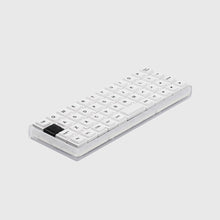
Chosfox X Masro 40 Layout| Geonix Rev.2.5
Prix habituel Du $123.00Prix promotionnel Du $123.00 Prix habituelPrix unitaire par$121.00 -

 Fournisseur :Chosfox
Chosfox X Masro | Geonix Rev.2.5 Keyboard Kit
Prix habituel Du $109.00Prix promotionnel Du $109.00 Prix habituelPrix unitaire par$107.00 -

 Fournisseur :Chosfox
Vero75 Low-Profile Mechanical Keyboard
Prix habituel Du $138.00Prix promotionnel Du $138.00 Prix habituelPrix unitaire par$159.00 -

 Fournisseur :Chosfox
Chosfox X Masro | Geonix Rev.2
Prix habituel Du $81.00Prix promotionnel Du $81.00 Prix habituelPrix unitaire par$86.00 -

 Fournisseur :Chosfox
Chosfox X Masro | Geonix48/Geonix48 Via
Prix habituel Du $72.00Prix promotionnel Du $72.00 Prix habituelPrix unitaire par$129.00 -

 Fournisseur :Chosfox
Chosfox x sporewoh | minipeg48 & kwgary16
Prix habituel Du $14.00Prix promotionnel Du $14.00 Prix habituelPrix unitaire par$14.00


Explore low-profile mechanical keyboards designed for a slimmer typing setup, compact desks and portable workflows. Compare 40%, ortholinear and 75% layouts, then choose between ready-to-use keyboards and DIY kits. Connectivity, firmware and component compatibility vary by model, so check the selected product option before ordering.
Compare Low-Profile Keyboards
| Model | Layout | Build type | Connectivity | Firmware | Compatibility note |
|---|---|---|---|---|---|
| Geonix48 / Geonix48 VIA | 4×12 ortholinear | Kit or component bundle | USB-C wired | QMK; VIA on VIA versions | Choc V1 switches and CFX-spacing keycaps only |
| Minipeg48 & Kowgary16 | Minipeg48: 4×12 ortholinear; Kowgary16: 4×4 macropad | Kit / component option | USB-C wired | QMK; VIAL available with supported firmware | Choc V1 hot-swap and CFX-spacing keycaps; switches and keycaps are not included with the kit |
| Geonix Rev.2 | 4×12 ortholinear | Ready-to-use or kit option | Tri-mode or wired, depending on the selected option | QMK / VIA | Choc V2 hot-swap; verify the selected switch, keycap and connection option |
| Vero75 | 75% | Ready-to-use or kit option | Wired or tri-mode, depending on the selected version | QMK / VIA | Low-profile hot-swap; verify the selected switches, keycaps and connection version |
| Geonix Rev.2.5 | Ortholinear 40% | Ready-to-use | Tri-mode | VIAL | Kailh Choc V2 switches with LAK or LCK keycap configurations |
| Geonix Rev.2.5 Keyboard Kit | Ortholinear 40% | Kit only | Tri-mode | VIAL | Switches and keycaps are not included; Dual 1U and 2U space-key options are available |
| Init40 | Row-staggered 40% | Ready-to-use or kit option | Tri-mode | VIAL | Kailh Choc V2 switch options; the kit option does not include switches or keycaps |
Specifications and package contents can vary by version and selected option. Please confirm the current product-page details before purchase.
How to Choose a Low-Profile Mechanical Keyboard
Start with the layout. A 40% keyboard saves the most desk space by placing numbers, navigation and other commands on programmable layers. A 4×12 ortholinear keyboard aligns its keys in a grid, while a 75% layout keeps a function row and more dedicated navigation keys in a larger but still compact design.
Next, choose between a ready-to-use keyboard and a DIY kit. A ready-to-use configuration includes the main components required to begin typing. A kit offers more control over switches and keycaps, but those parts may not be included. Always check the exact package contents for the selected option.
Low-profile switch and keycap compatibility is model-specific. Choc V1 and Choc V2 components are not universally interchangeable, and compatibility can also depend on the hot-swap socket, stem, key spacing, stabilizers and supported key sizes. Confirm the requirements on both the keyboard and component product pages before ordering.
Connectivity also varies by model and version. Some keyboards are USB-C wired only, while tri-mode versions can support wired, Bluetooth and 2.4 GHz connections. QMK, VIA and VIAL can provide key remapping and programmable layers, but the supported firmware depends on the selected keyboard and version.
Looking for a smaller layout or compatible components? Compare 40% keyboards, compare Kailh Choc low-profile switches, shop low-profile keycaps, find keyboard firmware, or view keyboard user guides for your keyboard model.
Low-Profile Mechanical Keyboard FAQ
What is a low-profile mechanical keyboard?
A low-profile mechanical keyboard uses a slimmer switch and keycap system than many standard mechanical keyboards. Its total height, layout, switch generation and keycap spacing can vary by model.
Are low-profile keyboards suitable for travel and small desks?
Compact low-profile keyboards can take up less desk and bag space, but portability depends on the keyboard’s layout, case, weight and connection method. Check the individual product dimensions and specifications before choosing a travel keyboard.
What is the difference between Choc V1 and Choc V2 compatibility?
Choc V1 and Choc V2 use different component standards and are not universally interchangeable. Compatibility can depend on the PCB footprint or hot-swap socket, keycap stem, spacing, stabilizers and supported key sizes. Verify both the keyboard and component specifications before ordering.
Should I choose a ready-to-use keyboard or a kit?
Choose a ready-to-use configuration if you want the main components required to begin typing. Choose a kit if you want more control over compatible switches and keycaps. Kit contents vary, and switches or keycaps may not be included.
Do all models support wireless connections and QMK, VIA or VIAL?
No. Some models are USB-C wired only, while selected tri-mode versions can support wired, Bluetooth and 2.4 GHz connections. Firmware support also varies by model and version, so confirm the selected product specifications before ordering.